

Home › Tools › Free Online Music Player

Music

A free online music player. No ads, no catches.

Ironbark for the web plays the music files on your own computer, right in your browser. Open a folder of music and press play. There’s nothing to install, no account to make, no ads, and your songs are never uploaded.

Open the music player How it works

Free · Open source (MIT licence) · Windows, Mac, Linux and Chromebook · Made by Digital Greenhouse in Australia
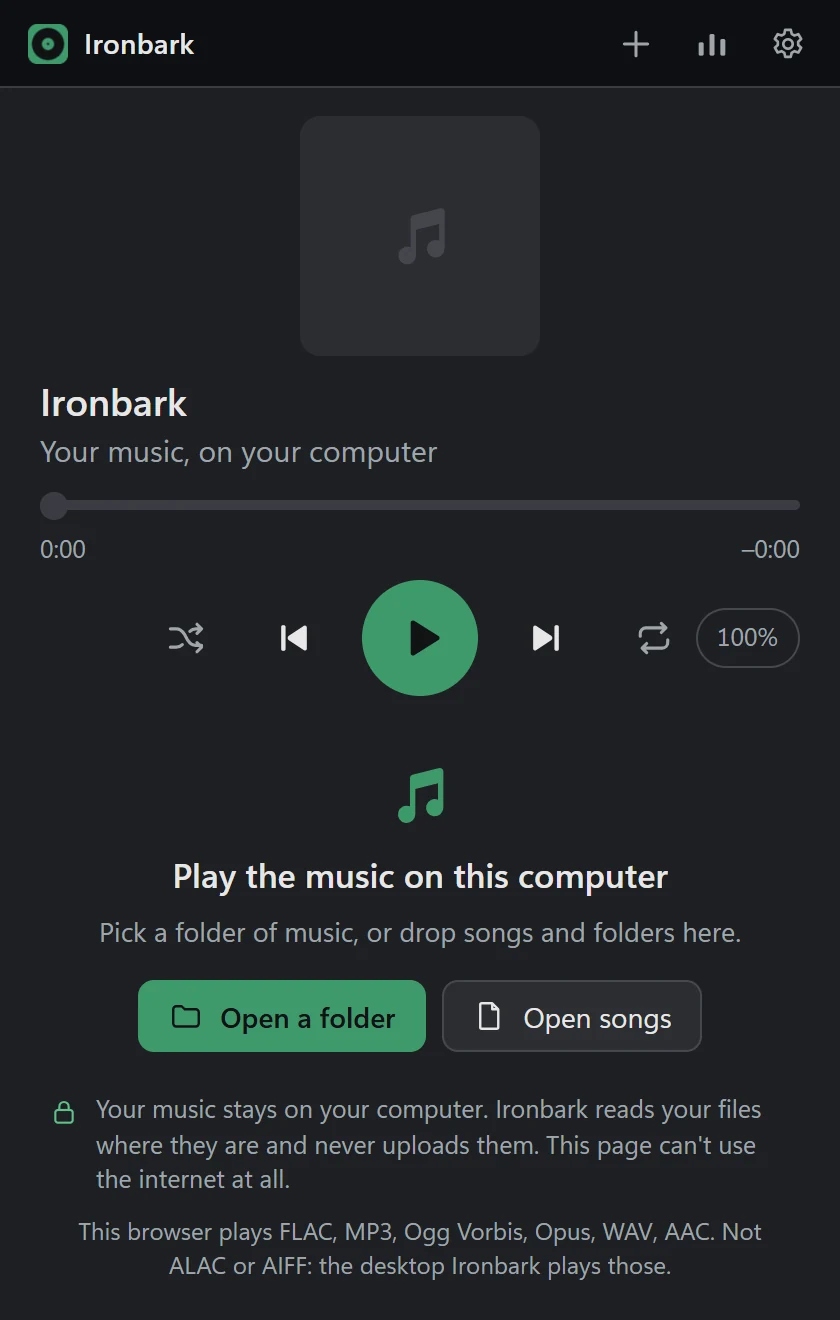
Ironbark for the web, ready to play: a play button and controls, Open a folder and Open songs buttons, and a note that your music stays on your computer and is never uploaded
The player as it opens.

No catches

Just a music player

No ads

Nothing interrupts your music, and nothing is being sold to you.

No sign-up

No account, no email address, no trial. Open the page and play.

No uploads

Your songs stay on your computer. The player reads them where they are.

No tracking

The player page is locked so it can’t connect to the internet at all.

No paid version

Every feature is free. There’s no “pro” upgrade waiting for you.

No lock-in

It’s open source, so it stays free. Anyone can copy it and run their own.

How to play your music in the browser

  1. Open the music player.
  2. Choose Open a folder and pick the folder your music is in, or Open songs to pick a few tracks. You can also drag songs and folders onto the page.
  3. Double-click a song, or an album, to play it.

That’s it. Your albums show with their cover art, and you can search, shuffle and repeat. There’s a level meter and a spectrum if you like watching the music, a light and a dark theme, and keyboard shortcuts for everything (press ? to see them).

What it plays

Your browser does the playing, so the formats depend on the browser. FLAC plays in every current major browser. Chrome and Edge also play MP3, Ogg Vorbis, Opus, WAV and AAC (M4A). The player’s opening screen lists exactly what your browser plays, and marks any song it can’t.

It plays the music files you already have: songs you’ve bought, ripped from CDs or downloaded. It isn’t a streaming service.

Make it an app

In Chrome or Edge you can install the player from the address bar. It then opens in its own window, works without an internet connection, and shows up in Open with for your music files. Chrome and Edge can also remember the folder you opened, so next time you just press Reopen.

Open the music player

Questions

Common questions

Is this online music player really free? What’s the catch?
There isn’t one. It’s free, with no ads, no account, no trial and no paid version. Digital Greenhouse, a Sydney IT business, built Ironbark because we wanted a music player that just plays music, and we give it away. The code is open source under the MIT licence, so it stays free: anyone can copy it and run their own.
Does it upload my music?
No. The player reads your files where they are, on your computer, and plays them there. Nothing is uploaded, and the player page is locked so it can’t connect to the internet at all, so it has no ads and no tracking either.
What music formats does it play?
Your browser does the playing, so it depends on the browser. FLAC plays in every current major browser. Chrome and Edge also play MP3, Ogg Vorbis, Opus, WAV and AAC (M4A). The player’s opening screen lists what your browser plays, and marks any song it can’t.
Is it a streaming service like Spotify?
No. It doesn’t stream music from the internet. It plays the music files you already have: songs you’ve bought, ripped from CDs or downloaded.
Which computers and browsers does it work on?
Any computer with a current Chrome, Edge, Firefox or Safari: Windows, Mac, Linux or a Chromebook. On an iPad, tap Open songs and pick music from the Files app. There’s nothing to install.
Do I have to open my music again every visit?
In Chrome and Edge, the player can remember the folder you open, so next time it offers Reopen (the browser asks your permission again). Firefox and Safari ask you to pick the folder again each visit.
Can I use it offline, like an app?
Yes, in Chrome and Edge. Use the install button in the address bar and the player opens in its own window, works without an internet connection, and can be chosen in Open with for music files.

AI workshops for teams

Get your team confident with AI.

Interactive half-day and full-day workshops in Copilot, Claude or ChatGPT, run at your office - in Sydney, or anywhere we can fly to.